Installing CRUX
Windows
Download the CRUX app for Windows (link)
Unzip the app
Run CRUX.bat
Mac
Download the CRUX app for Mac (link)
Double click the zipfile to extract the app
Run CRUX.app
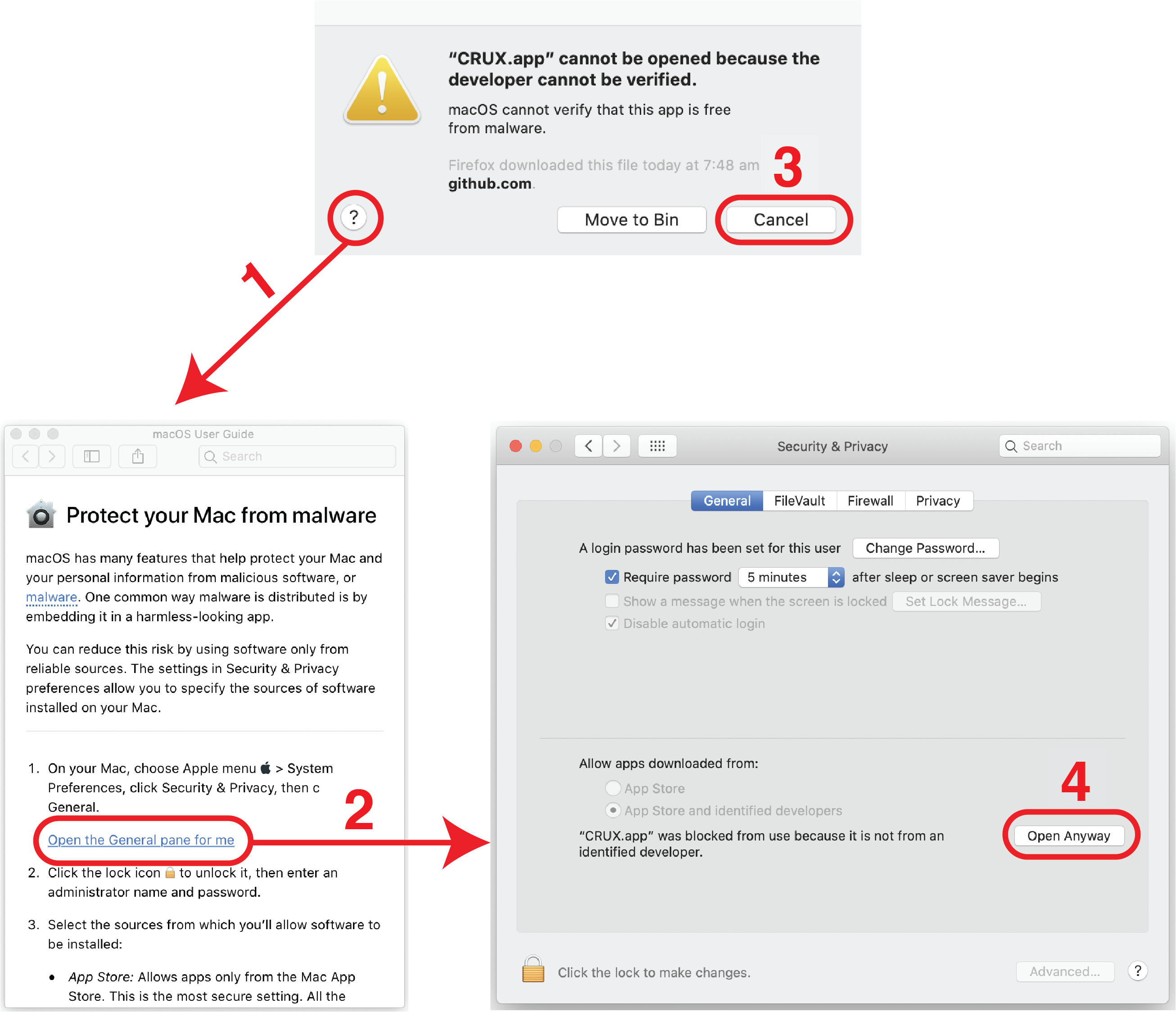
If you see a warning about running apps from unverified developers: Resolve as below
Linux
CRUX can be installed on linux (or any other R-compatible) operating system as an R package.
Install R
Install CRUX by running:
# Install required libraries
install.packages("remotes", ask=FALSE)
install.packages("BiocManager", ask=FALSE)

# Install tool
BiocManager::install("PoisonAlien/TCGAmutations")
remotes::install_github("CCICB/CRUX")
- Then, whenever you want to open CRUX run::
CRUX::run_app()